Nuvora
Infinite canvases for your ideas, 100% local.
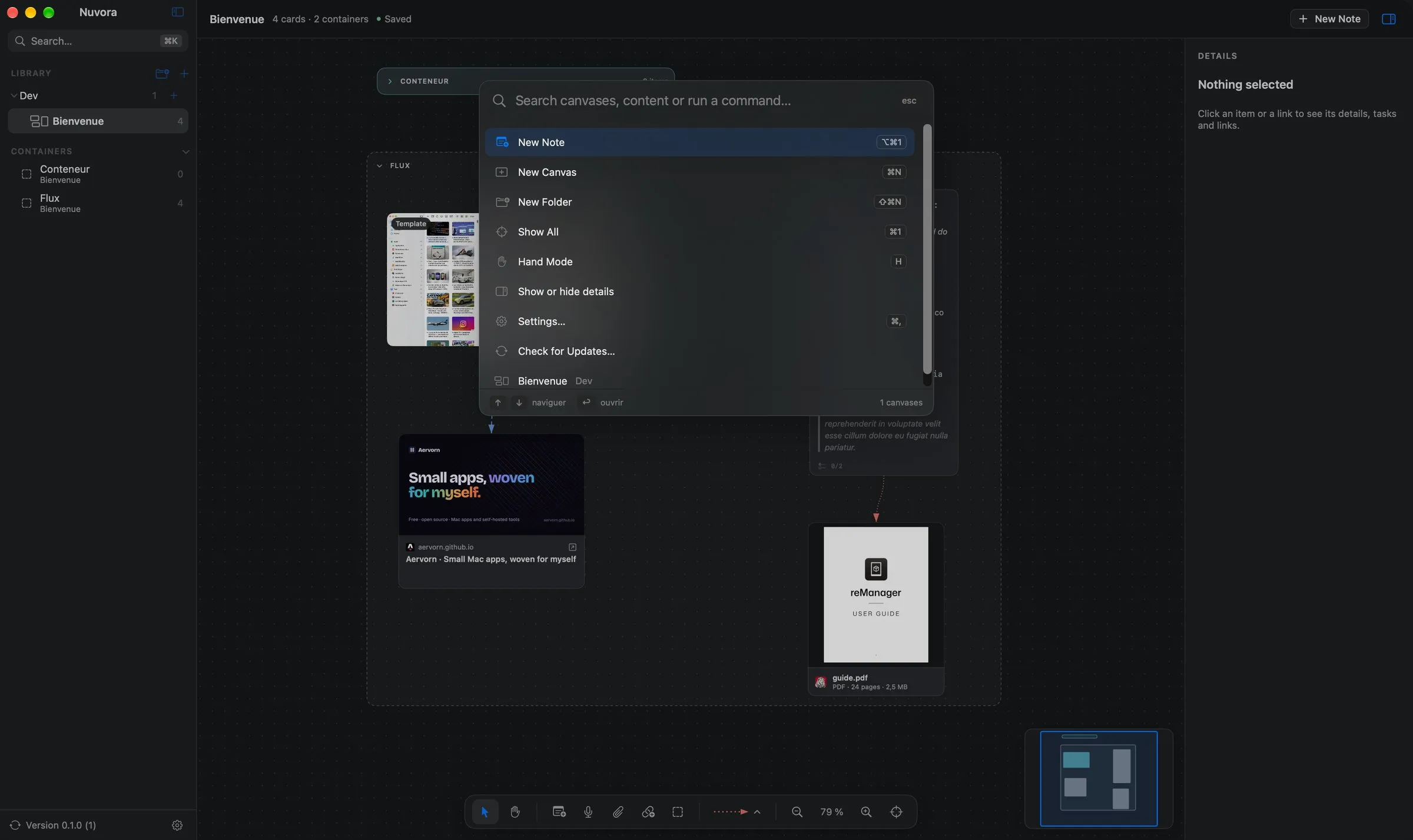
Lay out notes, voice notes, images, videos, documents and web links on infinite canvases, connect them with arrows and group them in containers. No account, no cloud, no telemetry: everything stays on your Mac.
- Version
- 0.1.0
- Requires
- macOS 26
- Interface
- EN · FR
- Data
- 100% local
- License
- MIT
An infinite canvas for everything
Pan with two fingers, zoom by pinching, or switch to hand mode with a mouse. A floating bar adds every kind of item, and a minimap shows the whole canvas.
- Drop files from the Finder or paste anything with ⌘V: files, images, web addresses, text.
- Resize from any side or corner, undo and redo everything, snap to an optional grid.
- Saved continuously, every few minutes, or only when you ask.
Markdown notes, with tasks
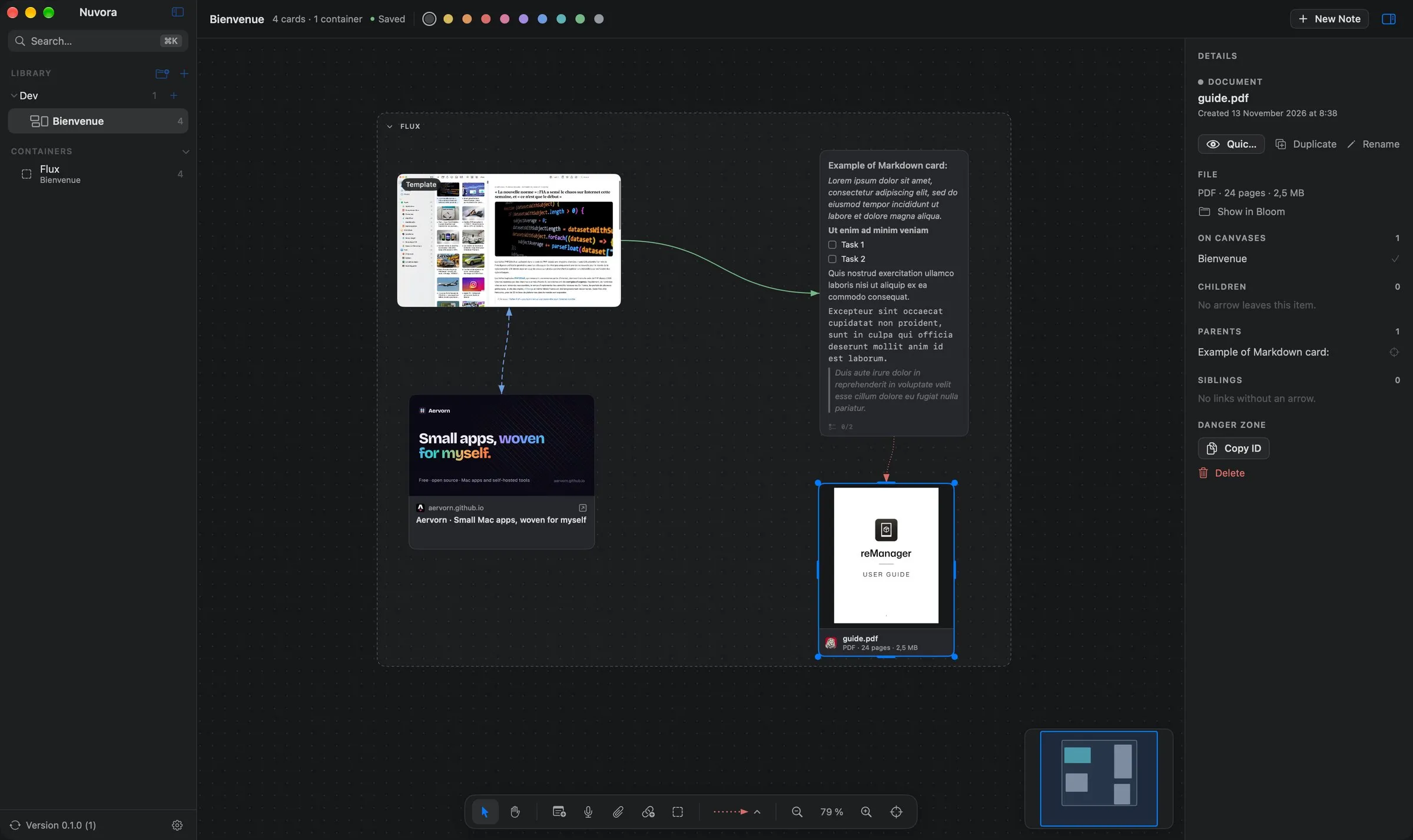
Headings, lists, quotes, code blocks and tasks you tick straight on the canvas, with their progress shown on the note.
- A formatting bar appears while you edit a note in place.
- A floating full editor shows the Markdown code or its rendered preview.
- Notes grow to show all their text.
Connect and group your ideas
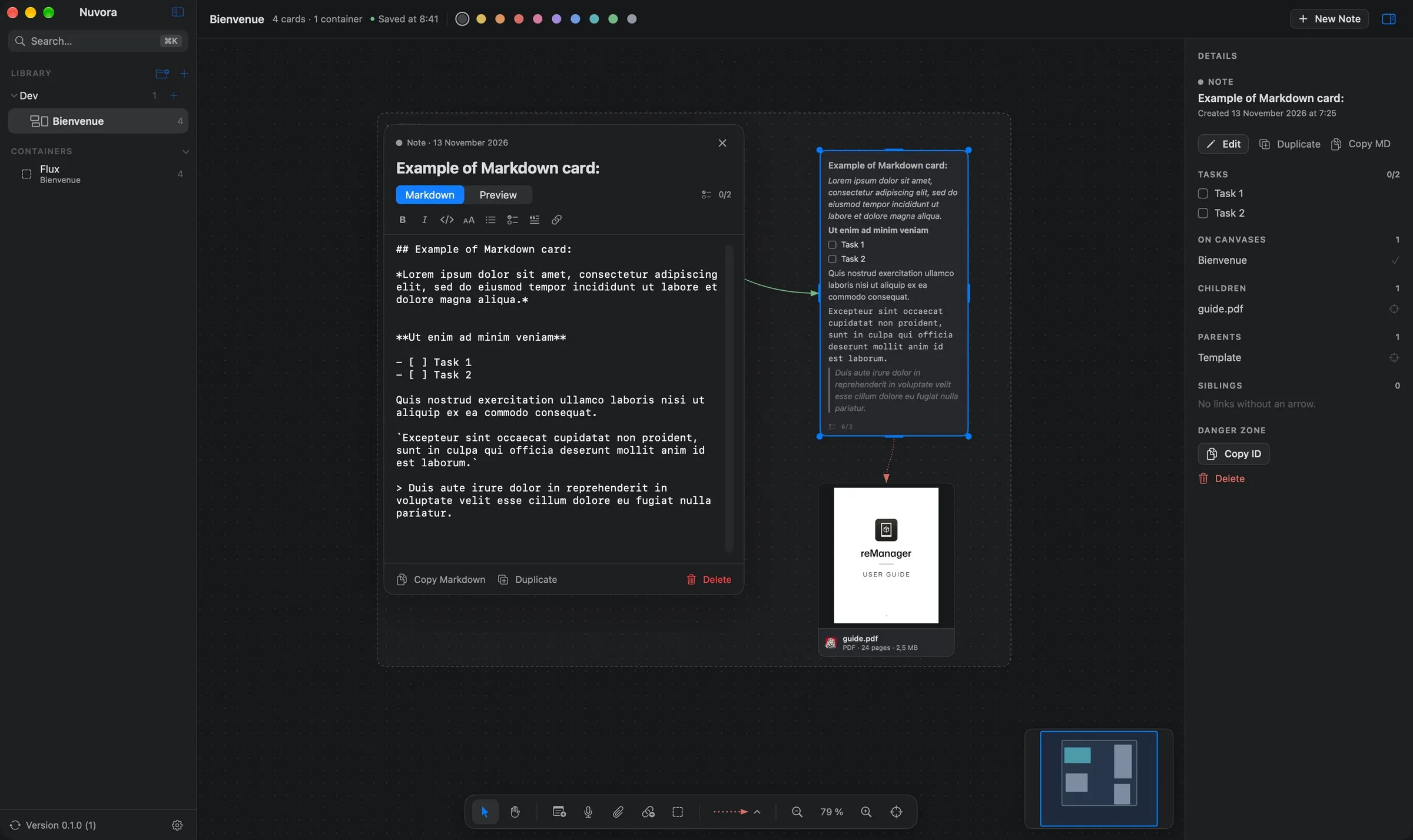
Drag from any side of an item to connect it to another. Each link has a direction, a solid, dashed or dotted line, a color and an optional label.
- Containers group items, can be nested, and collapse to hide their content.
- A container can be shared between canvases and stay in sync, or copied.
- Several link types can be mixed on the same canvas.
Voice notes, images, documents and web links
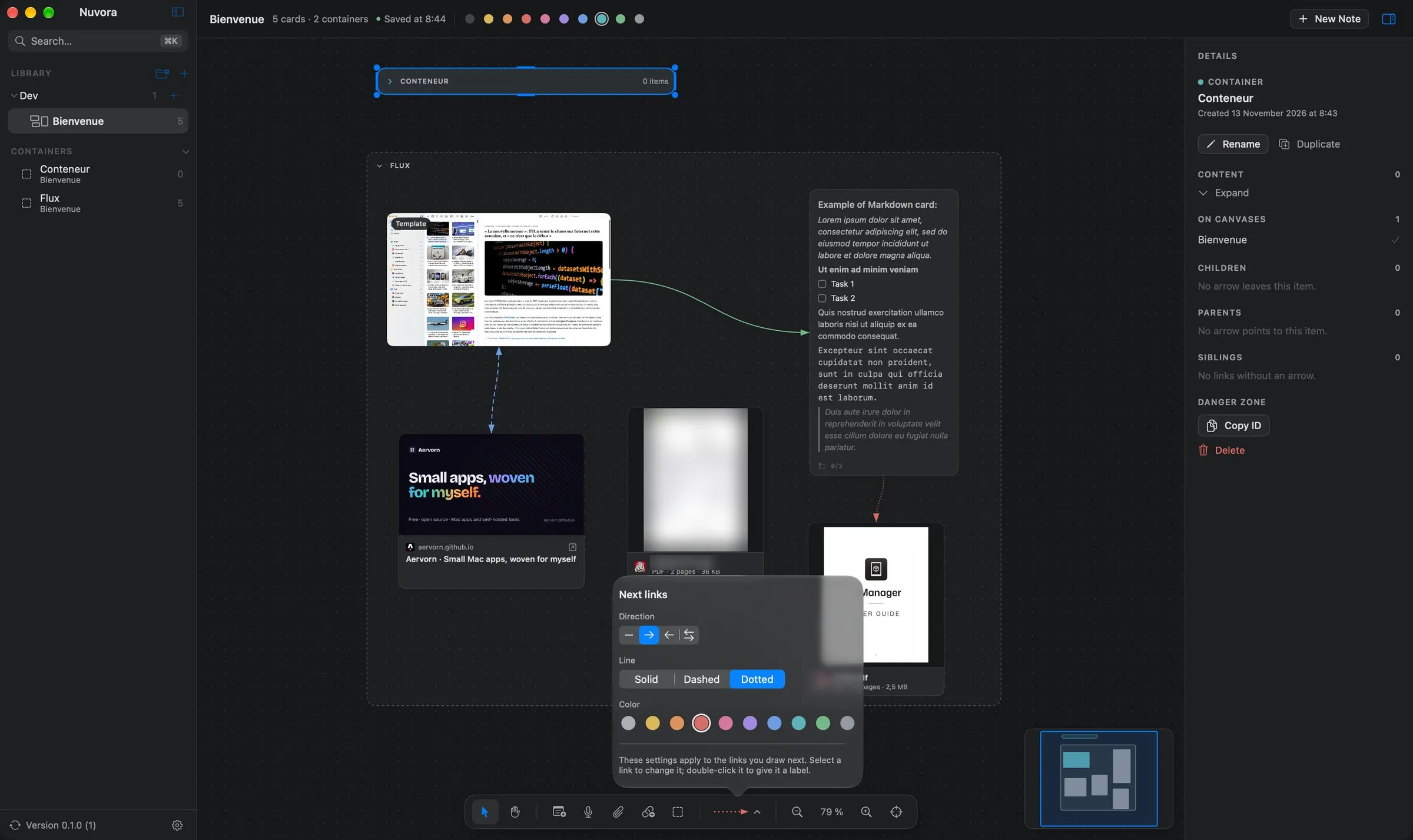
Record voice notes in the app: you get a waveform to click and a transcript made on your Mac. Documents show a preview of their first page, web links their title and image.
- PDF, Word, Excel, PowerPoint, Keynote, Pages: previewed with Quick Look.
- Images and videos keep their proportions and can be named.
- Files are copied into the canvas, which stays complete even if the original moves.
Everything about the selected item
A panel on the right shows the selected item: its actions, its tasks, the canvases it appears on, and its children, parents and siblings.
- Children are at the end of an arrow leaving the item, parents at the start of one reaching it, siblings are linked without an arrow.
- Click a related item to center the view on it.
Canvases in folders, found in a keystroke
As many canvases as you like, in folders and subfolders, each with its own icon: a symbol, an emoji or an image of yours.
- ⌘K finds canvases by name and by content, and runs commands.
- Light, dark or automatic mode, color themes, and your choice of fonts.
- Interface in English and French.
Three steps, one time.
Your permissions and settings are kept from one version to the next.
- Download
Nuvora-0.1.0.dmgfrom the latest release. - Open it and drag Nuvora onto the Applications folder.
- Allow it once. Nuvora is signed but not notarized by Apple, so macOS blocks the first launch. Open System Settings › Privacy & Security and click Open Anyway.
After that, Nuvora updates itself: it checks for a new version once a day and offers to install it.
xattr -dr com.apple.quarantine /Applications/Nuvora.appNo account, no analytics, no tracking.
Nuvora collects nothing and sends nothing about you. Your canvases and their files stay on your Mac, and voice notes are transcribed on your Mac. Its only network requests read the preview of a web link you add, once (this can be turned off), and check for its own updates on GitHub.
Built with Claude
I come up with the ideas, make the design decisions and test every version on my own machines. Much of the code is written with Claude, Anthropic’s AI assistant. I’d rather say so upfront.