
Vestora
Track your RSUs and the French tax on selling them.
Enter or import your grants, vestings and sales: Vestora shows what your shares are worth, which ones you can sell, and the French tax due on a sale, real or planned. Everything stays on your Mac, with an encrypted backup.
Vestora’s interface is in French, since it implements French tax rules. Its calculations are estimates, not tax advice.
- Version
- 0.1.1
- Requires
- macOS 26
- Interface
- FR
- Tax rules
- France
- License
- MIT
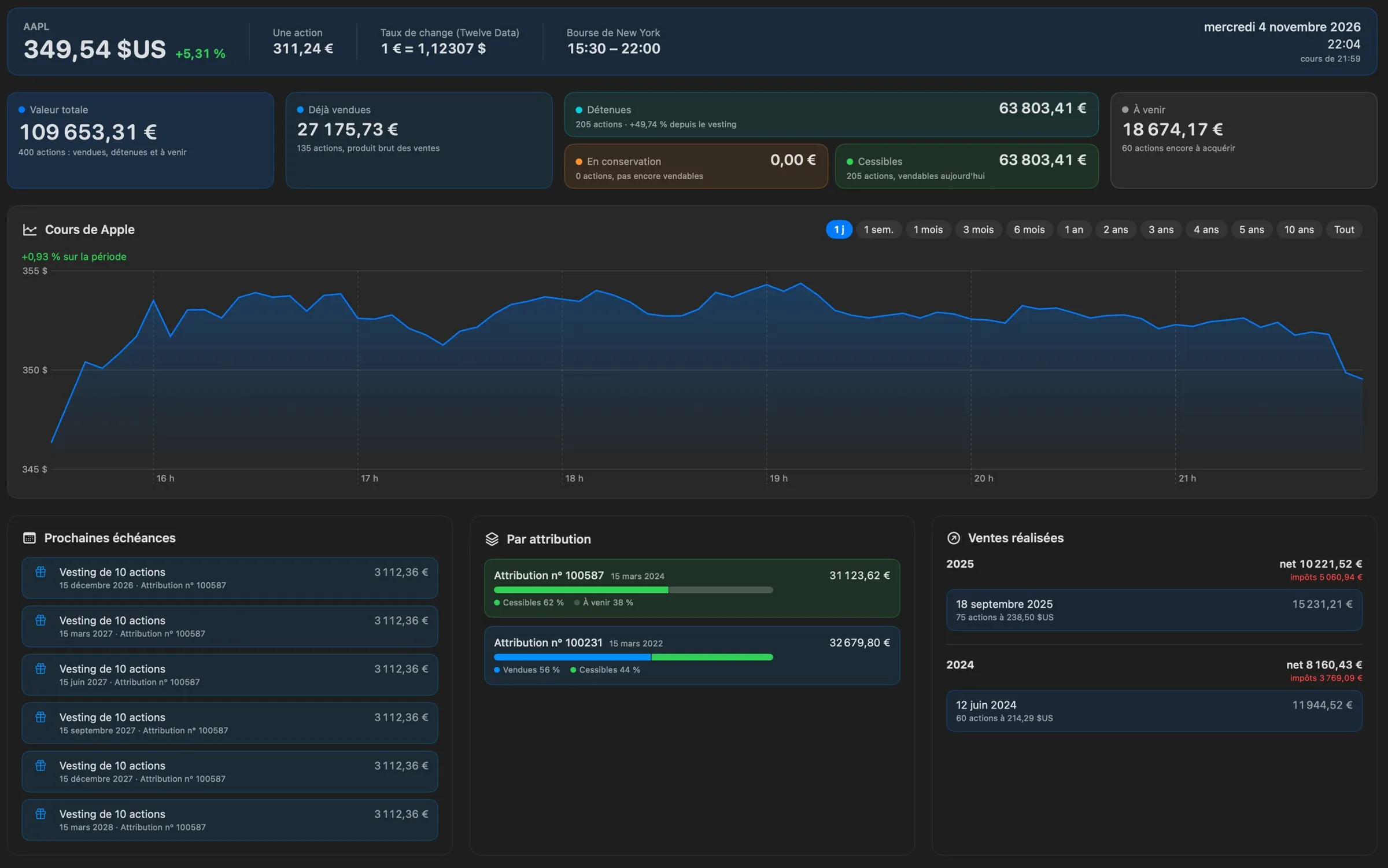
Your shares at a glance
At the current price: the value of the shares you hold, can sell, are still holding and have yet to receive, with your unrealized gains.
- Stock price from one day to the full history, with the prices of your vestings.
- Upcoming vestings, breakdown by grant and latest sales.
- Price, €/$ rate and New York Stock Exchange hours in Paris time.
- The price and your shares’ value can also live in the menu bar.
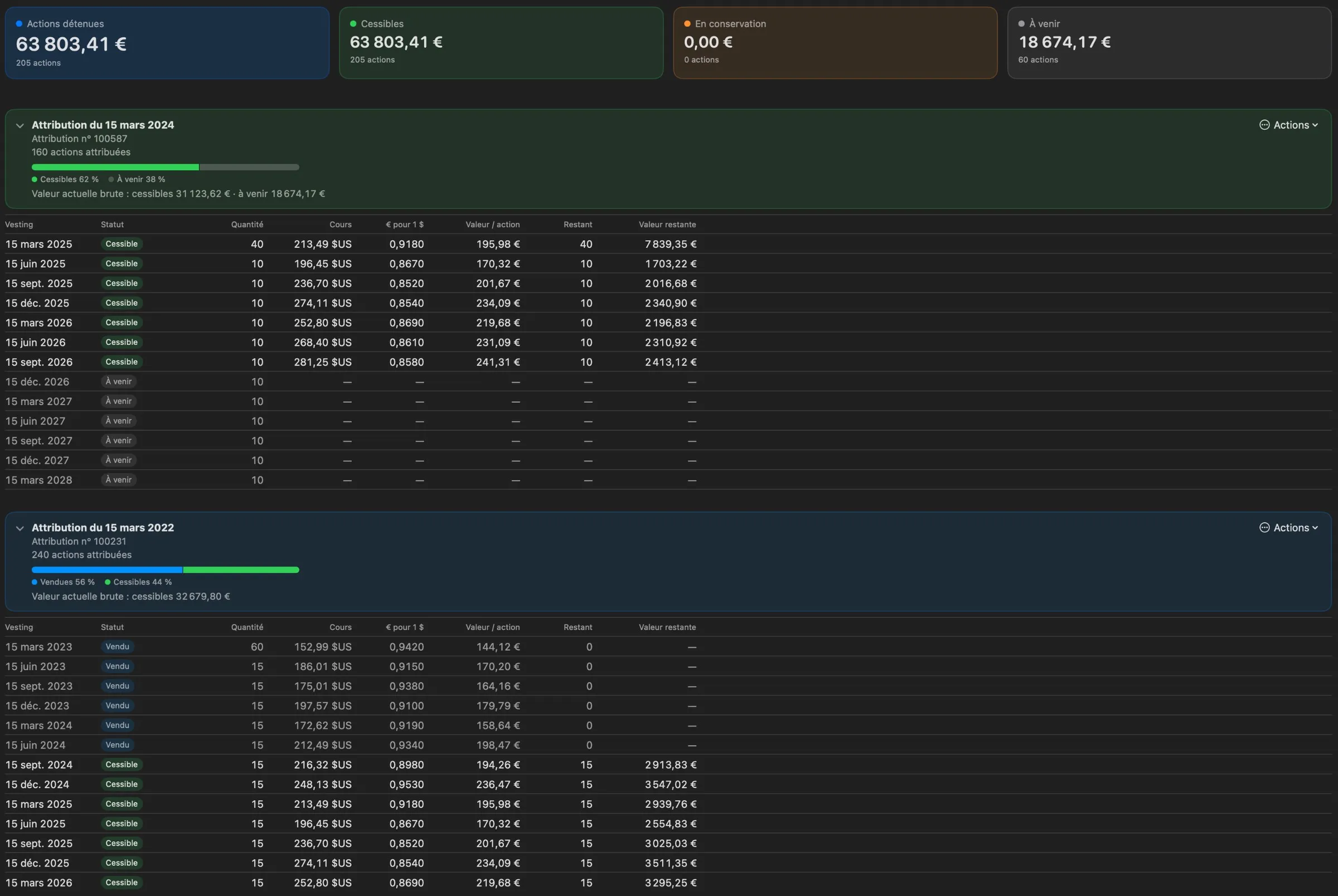
Grants, vestings and lots
Each grant groups its vestings, with their date, quantity, price and exchange rate. Generate a vesting schedule, or import your tracking spreadsheet.
- Enter a vesting once: the price and the ECB rate apply to every lot of that date.
- CSV import of lots and vesting prices, without duplicates.
- Checks your values against the stock’s close and the ECB rate, and tells you which price rule your broker uses.
- Quantities and prices are entered in today’s shares (split-adjusted), as most brokers show them.
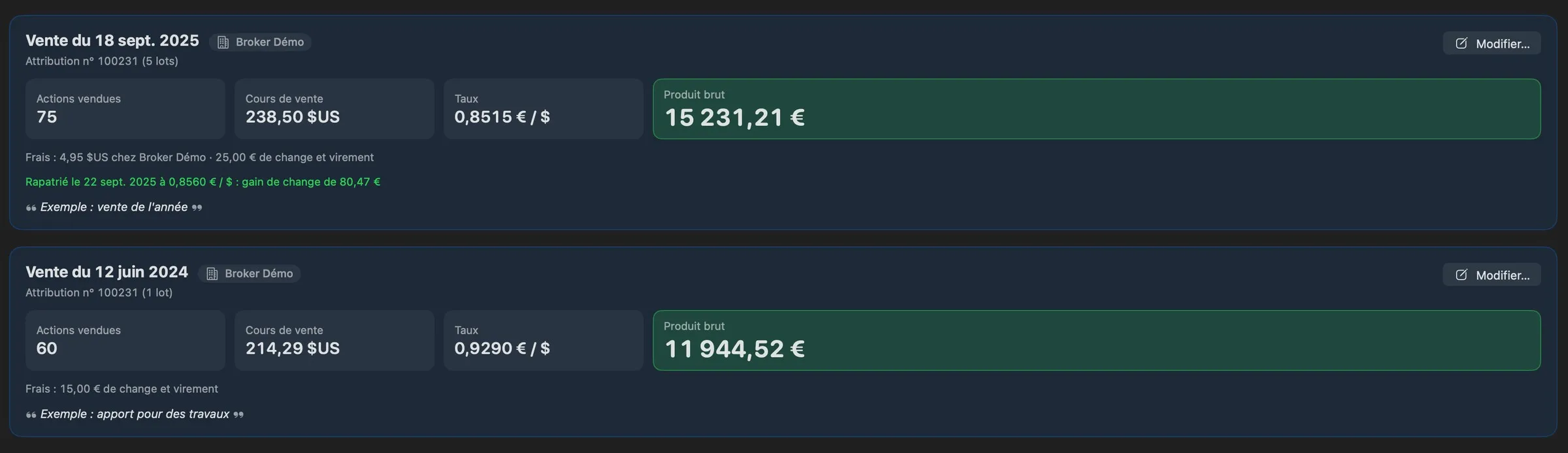
Every sale, with its fees
Each sale records its broker, price, rate, fees and the lots sold, allocated from oldest to newest or chosen by hand.
- Broker fees in dollars, exchange and transfer fees in euros.
- The rate you got when bringing the dollars home gives the exchange gain or loss.
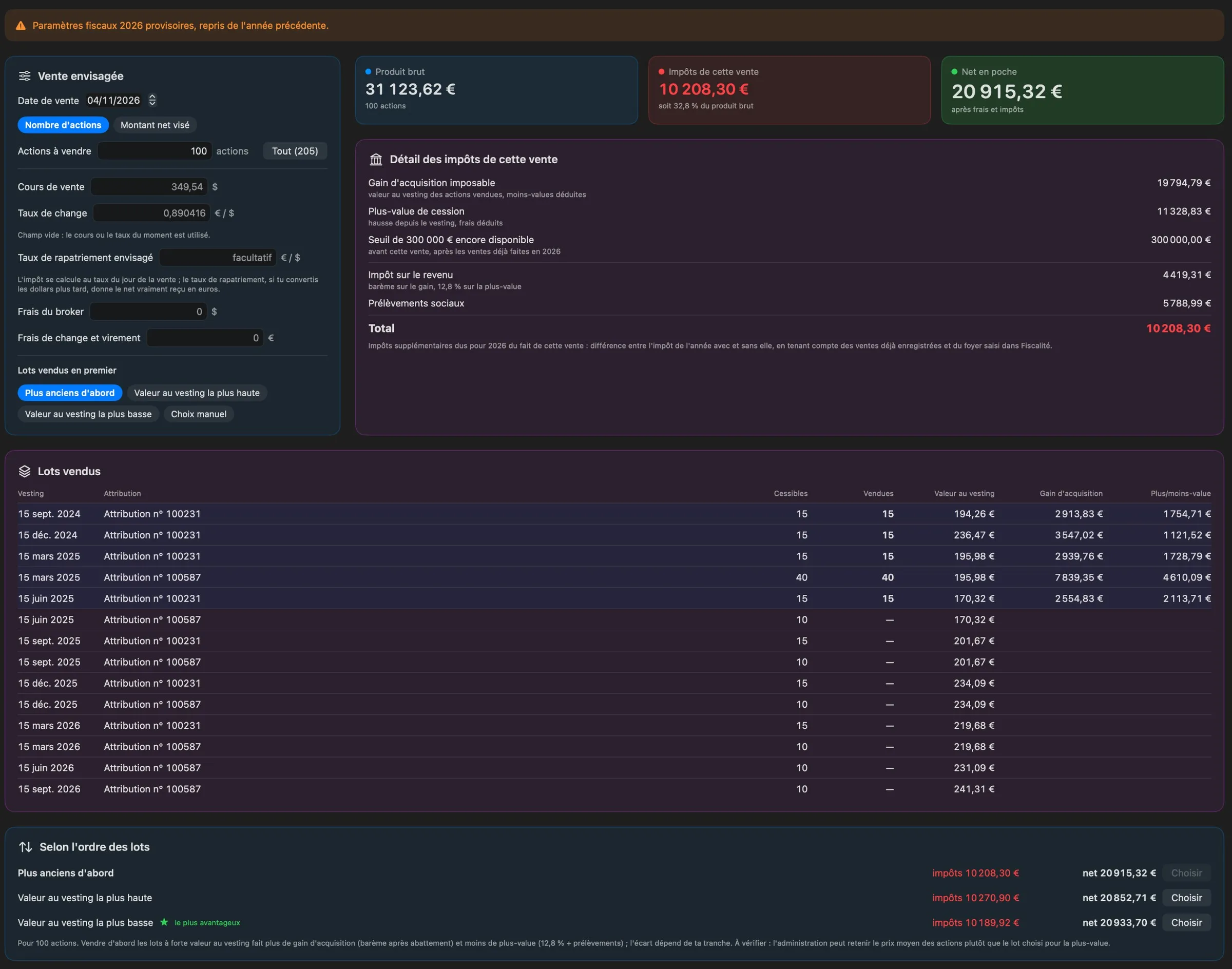
What would a sale bring in?
Pick a number of shares, or a target net amount and let Vestora find the number of shares, at the current price or at the one you enter.
- Sell the oldest lots first, the highest or lowest value at vesting, or lot by lot, and compare the orders.
- The tax shown is the additional tax for the year, taking into account your earlier sales and your household.
The tax on a year of sales
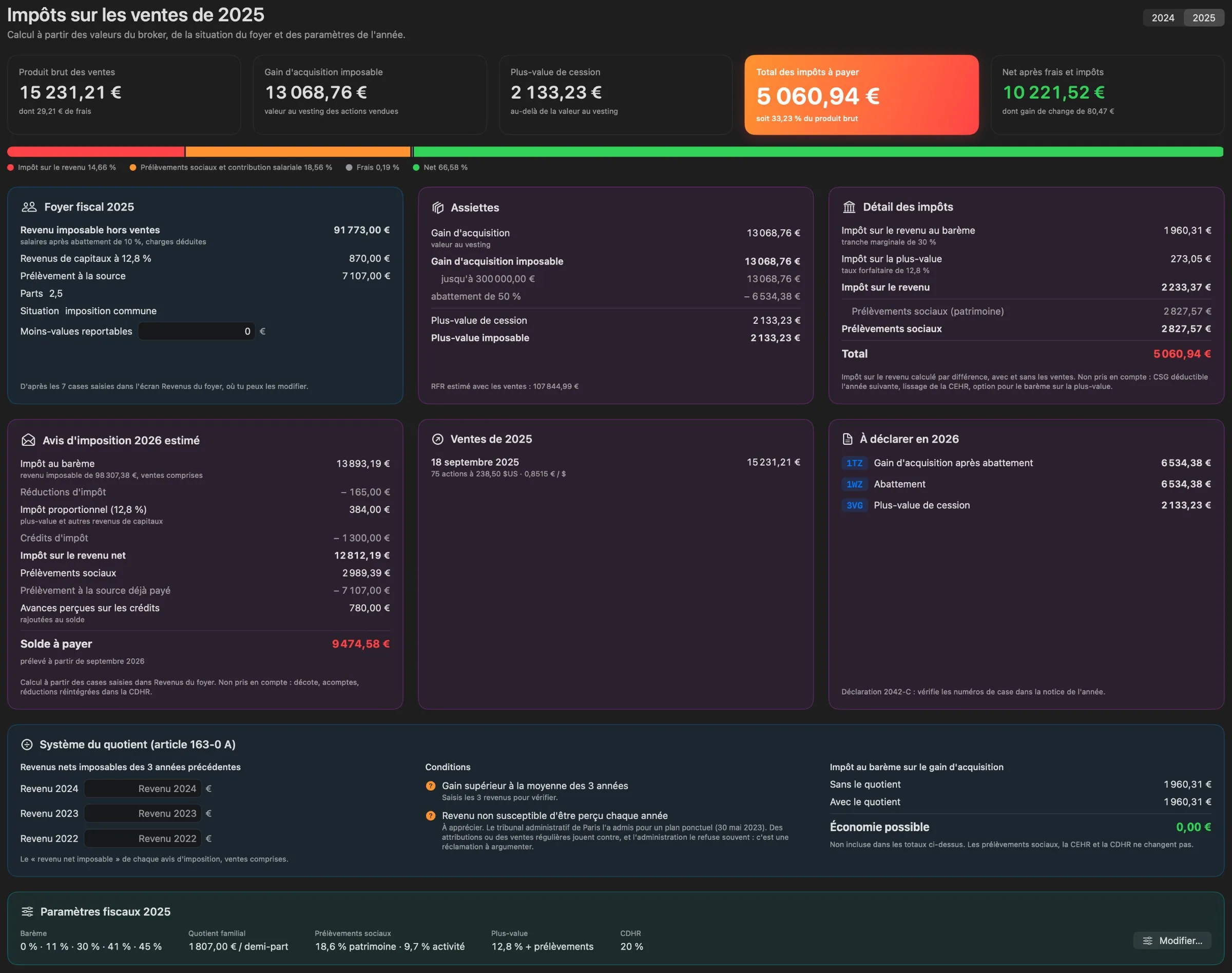
Vestora applies the French qualified free-share regime: acquisition gain, €300,000 threshold, capital gain, social charges, and an estimated tax notice.
- 50% allowance below the threshold, salary rules above it.
- Income tax by difference, family quotient cap, CEHR, CDHR and the quotient system for exceptional income.
- The boxes to fill in on your tax return; each year’s parameters can be edited.
- Only the qualified regime with allowance, for French tax residents. No older or non-qualified plans, foreign tax or wealth tax.
Your household, year by year
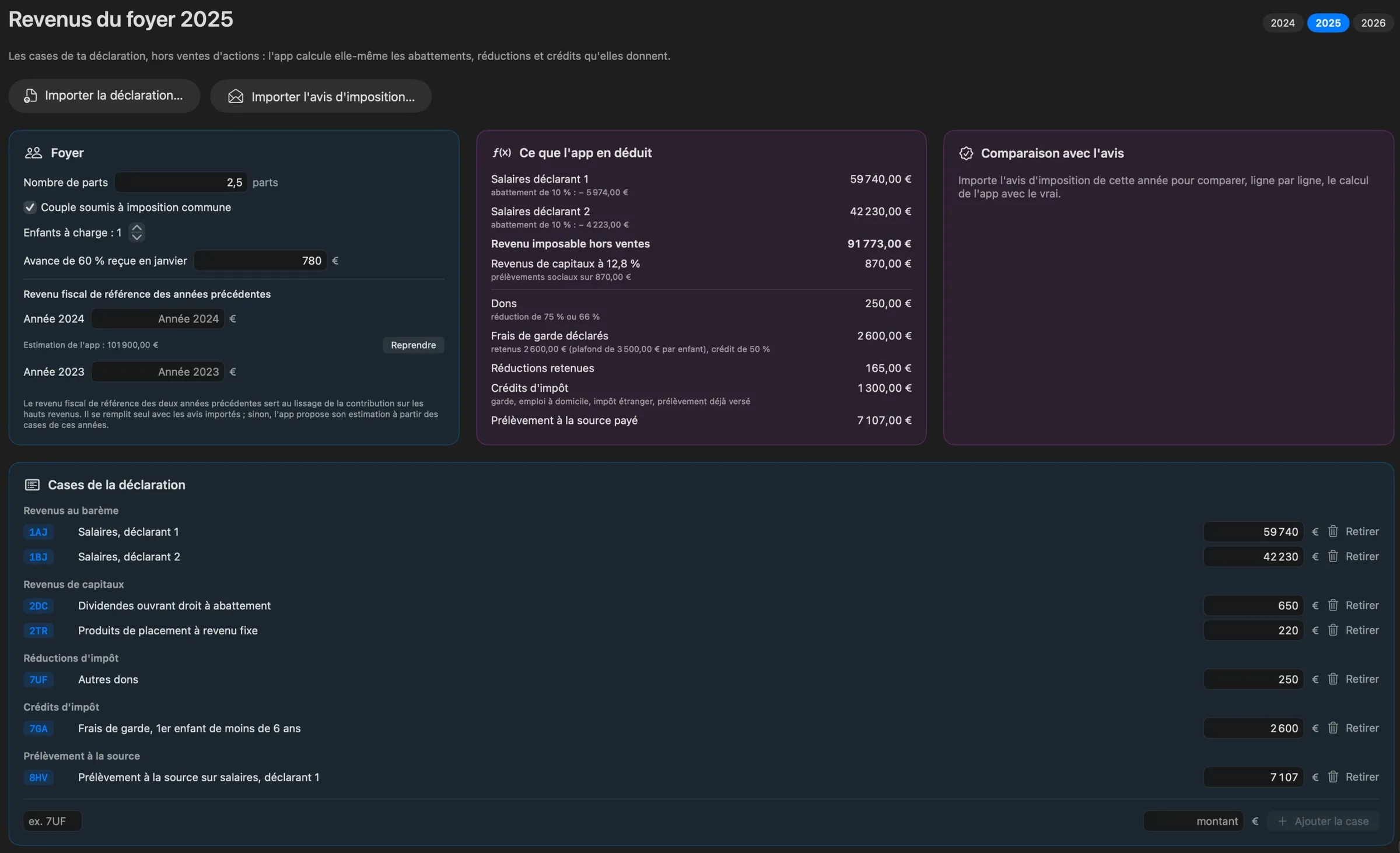
One sheet per year with the boxes of your tax return, entered by hand or imported from the PDF summary of your online return.
- Vestora compares its calculation, line by line, with the imported tax notice.
Your figures stay private
Hidden mode replaces amounts and share counts with dots. Vestora starts hidden and hides again whenever the screen locks or the Mac sleeps.
- Optional Touch ID lock at launch and on wake.
- Demo mode with a fictitious portfolio, to show the app without your data.
An encrypted daily backup
Every day your data changed, Vestora writes an encrypted archive to iCloud Drive or a folder of your choice, and keeps the 30 most recent.
- AES-256-GCM encryption with a key derived from your password: without it, an archive is unreadable, on iCloud too.
- Restoring shows what an archive contains and keeps a safety copy of your current data first.
- Keep your password in a password manager: without it, no archive can be restored.
Three steps, one time.
Your permissions and settings are kept from one version to the next.
- Download
Vestora-0.1.1.dmgfrom the latest release. - Open it and drag Vestora onto the Applications folder.
- Allow it once. Vestora is signed but not notarized by Apple, so macOS blocks the first launch. Open System Settings › Privacy & Security and click Open Anyway.
After that, Vestora updates itself: it checks for a new version once a day and offers to install it.
xattr -dr com.apple.quarantine /Applications/Vestora.appNo account, no analytics, no tracking.
Vestora collects nothing and sends nothing about you. Your grants, sales and income stay on your Mac. It only fetches the stock price, exchange rates, public news and updates, and none of these requests contains your amounts.
Built with Claude
I come up with the ideas, make the design decisions and test every version on my own machines. Much of the code is written with Claude, Anthropic’s AI assistant. I’d rather say so upfront.