
Flux
A simple, good-looking RSS reader.
Add your feeds, browse them as a list or a grid, and read the full article right in the app. Similar stories from several sources are grouped, favorites can be tagged, and your Macs stay in sync and backed up through iCloud Drive.
- Version
- 0.6.0
- Requires
- macOS 14
- Formats
- RSS · Atom · JSON
- Languages
- EN · FR
- License
- MIT
Your feeds, your way
You add your feeds yourself: no directory, no account, no recommendations. Paste a feed or just a website address, and Flux finds the feed.
- Folders with their own color, icon and unread count.
- Rename a feed when its name is too long; the original is kept.
- OPML import and export, to come from NetNewsWire, Reeder or Feedly.
- Change a feed’s address without losing its articles.

A list you enjoy browsing
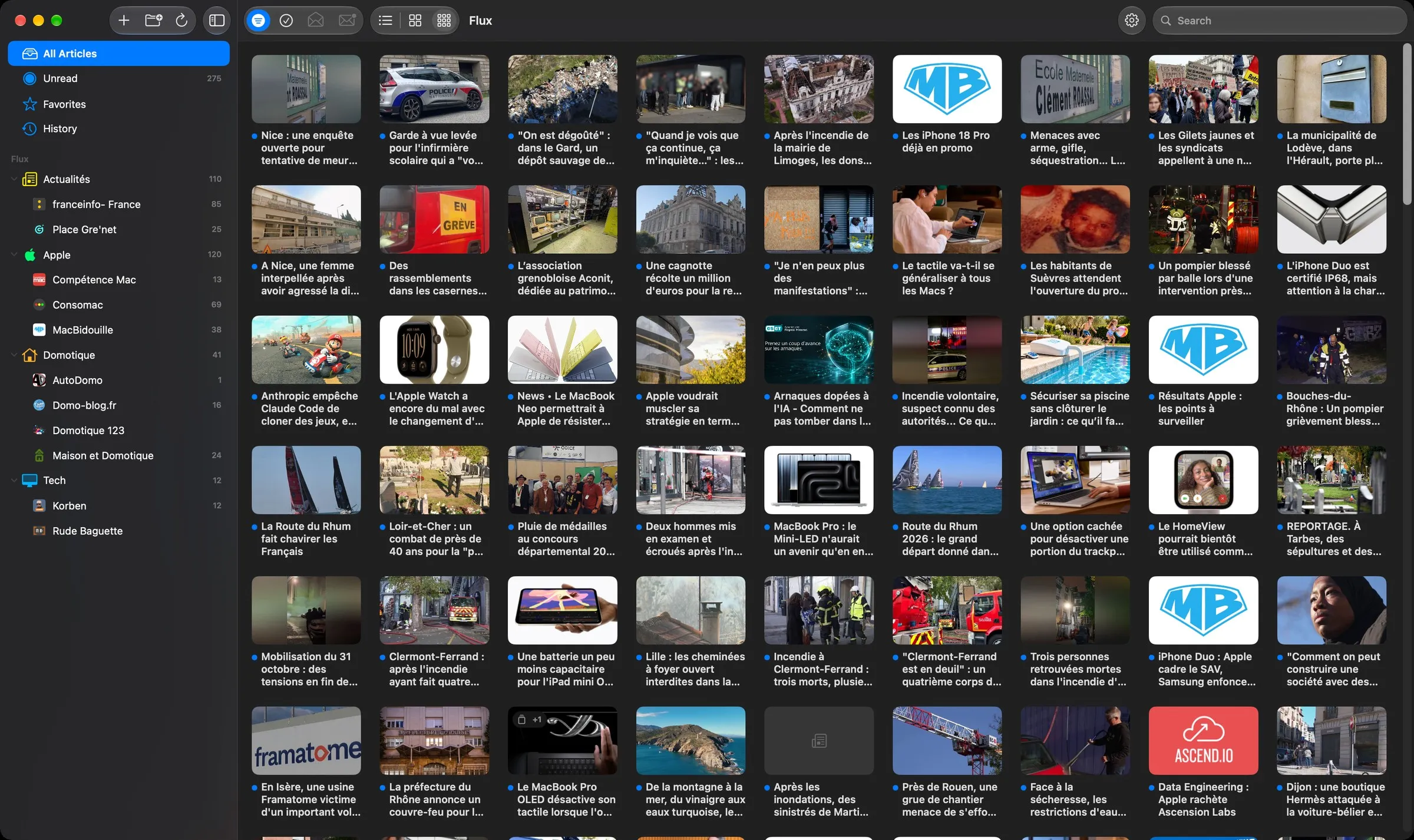
Browse as a list with thumbnails and summaries, as a grid of images, or as full-width thumbnails where an article opens in place.
- Thumbnails from the feed, the article’s first image or the page preview.
- Search in the title and full text of the current view.
- Multiple selection to mark several articles at once.
- Hide read articles with one button in the toolbar.

The full article, in the app
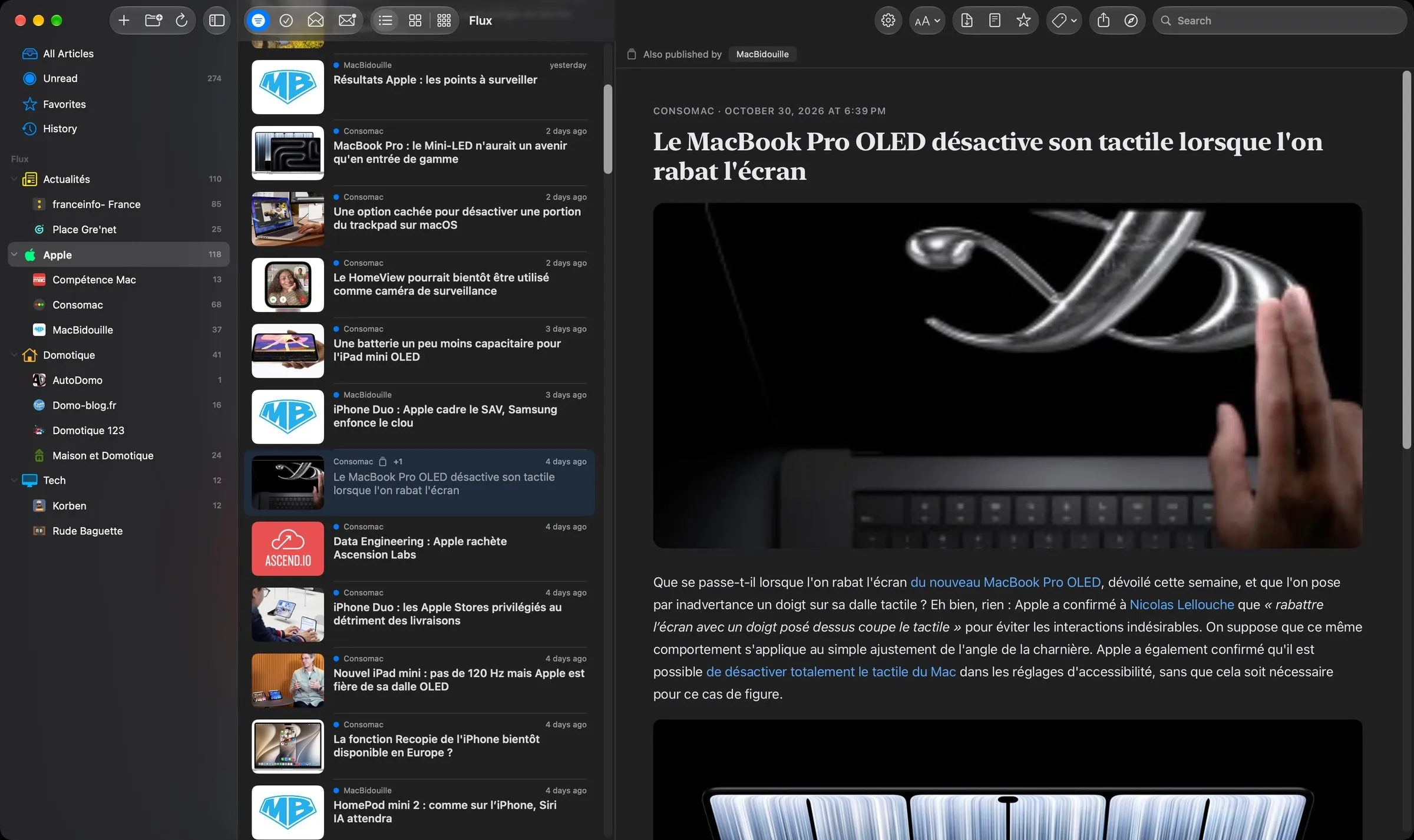
When a feed only gives an excerpt, Flux downloads the page and extracts the article with Readability, the engine behind Firefox’s Reader View.
- Clean layout, light or dark, adjustable text size and width.
- One button switches between the feed version and the full article.
- Export an article as PDF or print it, in a layout made for paper.
- Articles reserved for subscribers stay cut, since the site doesn’t serve the rest.
Similar stories, grouped
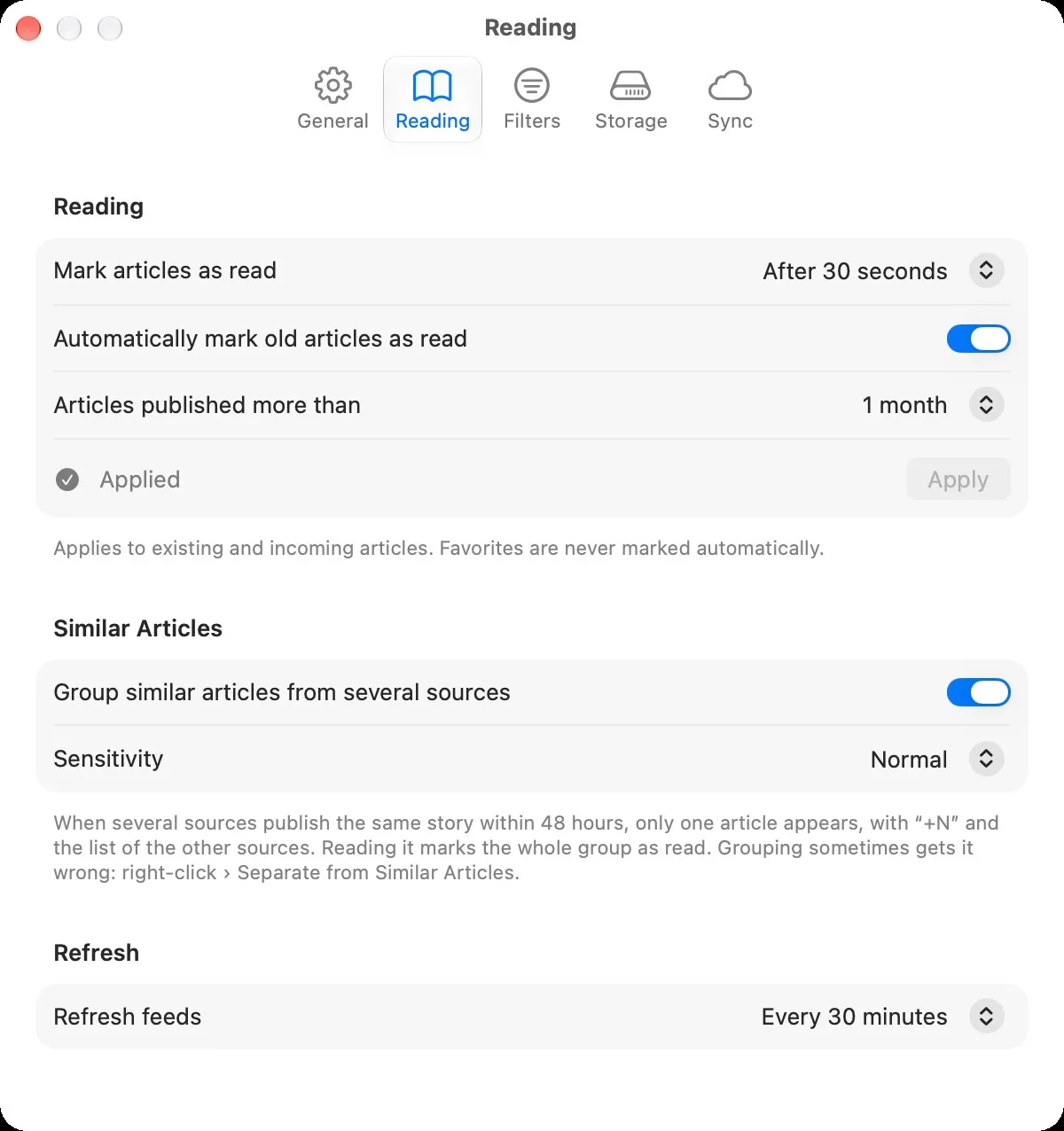
When several sources publish the same story within 48 hours, Flux shows it once with a “+N” badge, and lists the other sources in the article.
- Titles compared word for word and in meaning, computed on your Mac.
- Three sensitivity levels, or turned off.
- Grouping is never perfect: you can separate an article from its group.
Keyword filters
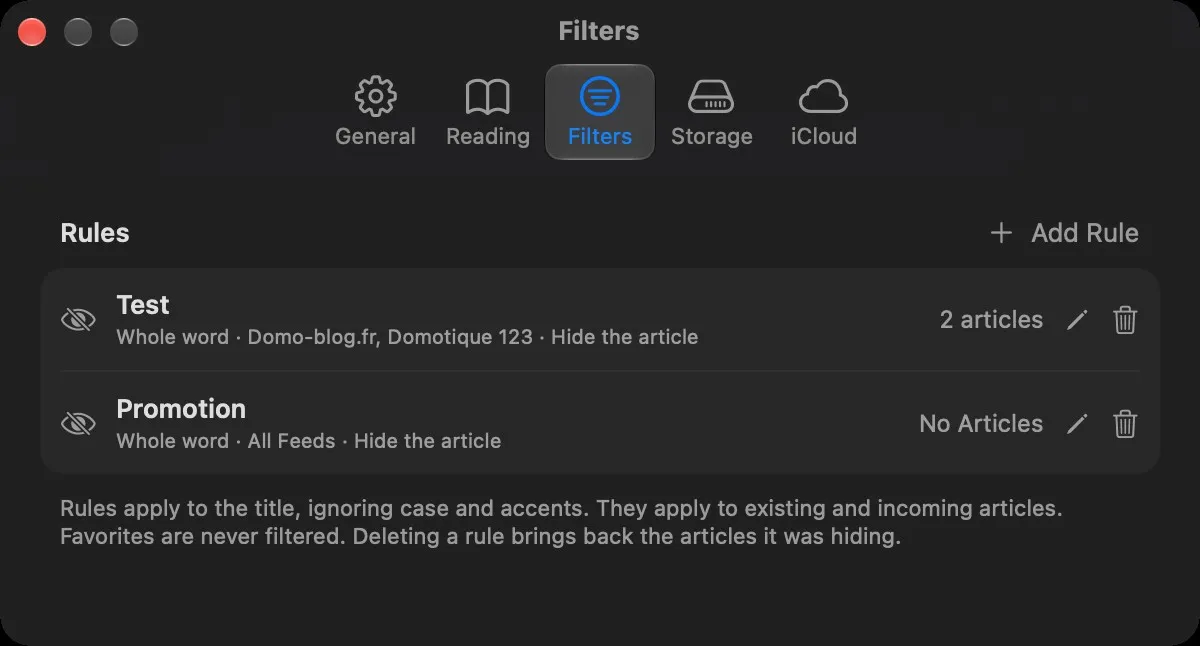
Rules hide articles, or mark them as read, by a keyword in their title. Case and accents are ignored.
- For all feeds or only the ones you check, with a preview of how many articles a rule affects.
- Shortcut: right-click a feed › New Filter Rule….
- Favorites are never filtered.
- Only the title is checked, not the article text.
Favorites, tags and offline reading
Flux can download unread articles and favorites in full, images included, so you can read without a connection.
- Tags to organize your favorites, listed under Favorites in the sidebar and shown under each article.
- Optionally, tagged articles leave Favorites and only appear in the view of their tags.
- Favorites are archived permanently, even if the site deletes the article.
- Old read articles are cleaned up after a delay you choose.
- History of the articles you opened.
Reading statistics
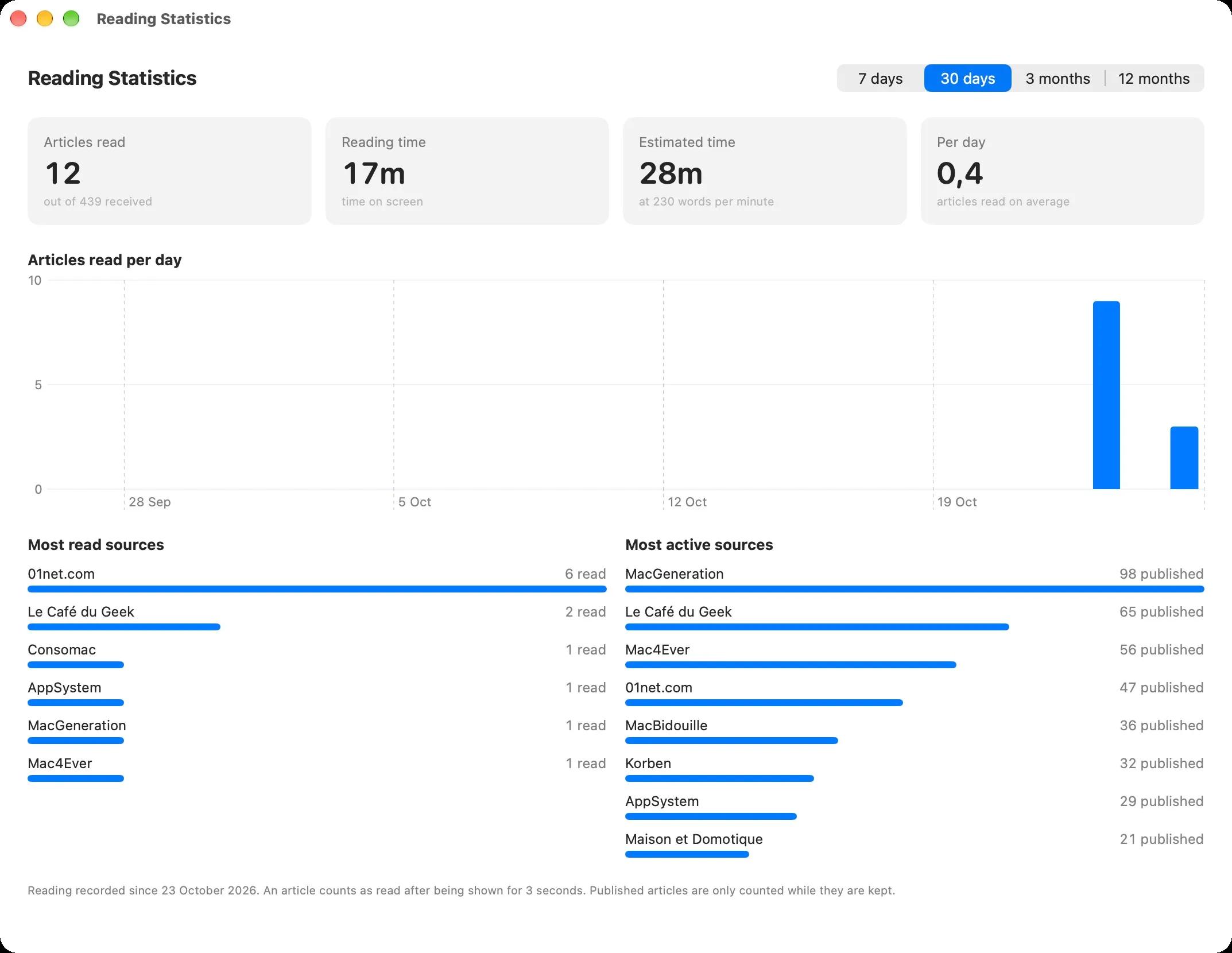
Articles read, time spent reading, a chart per day and your most read sources, over 7 days to 12 months.
- Everything is computed and kept on your Mac.
Sync and backup with iCloud Drive
Turn on sync on each Mac to keep feeds, folders, names, filter rules, read articles, favorites and tags in sync through your own iCloud Drive.
- When something changed on both Macs, the most recent change wins, item by item.
- Daily backup of everything in iCloud Drive, restorable in one click; deleting something never touches backups already made.
- Settings, history, statistics and images stay local to each Mac.
- iCloud Drive must be turned on; changes usually arrive within a minute.
Keyboard shortcuts, Reeder style
Read your feeds without touching the mouse.
- j / k: next / previous article · Space: scroll, then next article
- m: read / unread · s: favorite · b: open in browser
- ⌘R: refresh · ⇧⌘K: mark all as read · ⌘+ / ⌘−: text size
Three steps, one time.
Your permissions and settings are kept from one version to the next.
- Download
Flux-0.6.0.dmgfrom the latest release. - Open it and drag Flux onto the Applications folder.
- Allow it once. Flux is signed but not notarized by Apple, so macOS blocks the first launch. Open System Settings › Privacy & Security and click Open Anyway.
After that, Flux updates itself: it checks for a new version once a day and offers to install it.
xattr -dr com.apple.quarantine /Applications/Flux.appNo account, no analytics, no tracking.
Flux collects nothing and sends nothing about you. Apart from the optional sync through your own iCloud Drive, it only talks to the sites you subscribe to.
Built with Claude
I come up with the ideas, make the design decisions and test every version on my own machines. Much of the code is written with Claude, Anthropic’s AI assistant. I’d rather say so upfront.